📌 Introduction
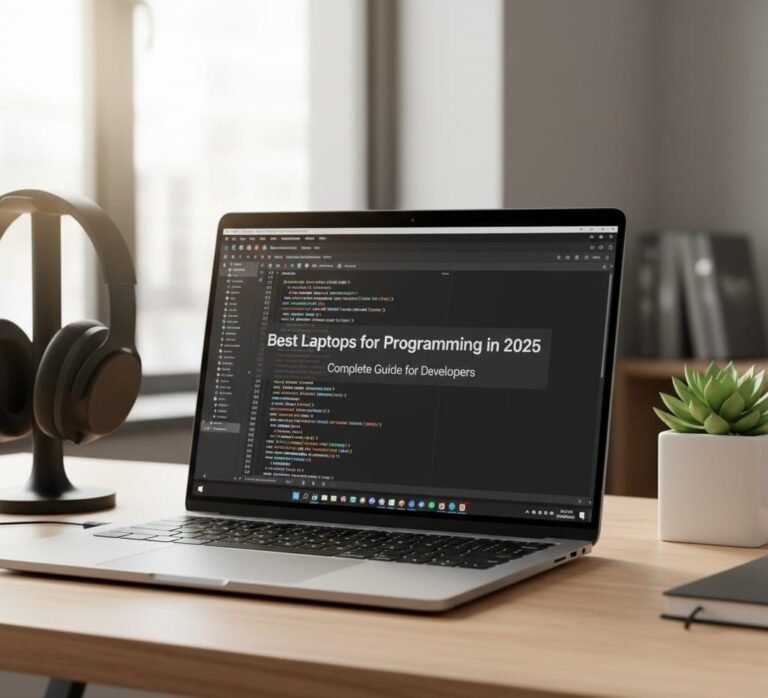
Choosing the right laptop for programming can make a massive difference in your workflow — whether you’re a student, professional developer, or learning to code. In 2025, programming workloads vary from simple scripting and web development to heavy tasks like machine learning, virtualization, and compiling large codebases. A good laptop setup not only boosts efficiency but also reduces frustration during long coding sessions.
This guide gives you clear recommendations based on real-world use cases, with powerful laptops across price ranges — plus what specs truly matter for programming in 2025.
🧠 Section 1 — What Makes a Laptop Great for Programming
Before the laptop list, let’s break down the key features that matter for developers:
🧠 1. Processor (CPU)
The CPU impacts compile times, virtualization, and multitasking.
✔️ Choose recent Intel Core i7 / i9, AMD Ryzen 7 / 9, or Apple M-series (M3/M4) chips.
💾 2. RAM (Memory)
RAM determines how many apps/IDE windows you can run simultaneously.
- 🧠 16GB — minimum for smooth coding
- 🚀 32GB+ — ideal for virtual machines, Docker, AI/ML workloads
💽 3. Storage
Always pick SSD — fast boot and fast project loading.
📌 512GB SSD or larger is optimal.
🖥️ 4. Display
A comfortable screen with good resolution helps in reading code:
✔️ Full HD (1080p) minimum
✔️ OLED/4K options for creators or designers
🔋 5. Battery Life & Portability
Developers on the go benefit from long battery life and lightweight chassis.
🏆 Section 2 — Best Programming Laptops in 2025 (All Categories)
Here’s a curated list of the best laptops for coding right now — from powerful pro machines to everyday development laptops.
🥇 1. Apple MacBook Pro 16″ (M3 Pro / M3 Max)
Best for: Professional developers, iOS/macOS development, machine learning
📌 Why It’s Great
- Apple M3 Pro/M3 Max — fantastic multi-core performance
- 16GB–96GB RAM options
- 1TB+ SSD configurations
- Stunning Liquid Retina XDR display
💡 Perfect if you work with Xcode, Swift, large codebases, or creative workflows.
Pros ✅
✔ Excellent performance & battery life
✔ macOS ecosystem and tools optimized for developers
Cons ❌
❌ Expensive
❌ Limited upgrades
🥈 2. Dell XPS 15 / XPS 17 (2025)
Best for: Full-stack developers, Windows users, Linux dual-boot
📌 Why It’s Great
- Powerful Intel i7/i9 CPUs
- 16GB–64GB RAM
- 1TB SSD
- OLED/4K display option for multi-app workflows
This is a favorite among Windows developers for its balance of power, portability, and screen quality.
Pros ✅
✔ Great multitasking and compile performance
✔ Excellent build quality
Cons ❌
❌ Pricier with high-end configs
🥉 3. Lenovo ThinkPad X1 Carbon (Gen 12 / Later)
Best for: Linux developers, enterprise work, long typing sessions
📌 Known for legendary keyboards, long battery life, and durability — ideal for coding marathons.
Pros ✅
✔ Superb keyboard comfort
✔ Reliable and portable
✔ Excellent battery life
Cons ❌
❌ Integrated graphics — not ideal for heavy GPU tasks
🎮 4. ASUS ROG Zephyrus G14 (2025)
Best for: Game developers, GPU-accelerated coding, AI/ML workflows
📌 Combines powerful CPU (AMD Ryzen 9 series) with dedicated NVIDIA graphics — perfect if you also work with Unity, Unreal, or CUDA libraries.
Pros ✅
✔ Strong performance in parallel tasks
✔ High refresh display
Cons ❌
❌ Bulkier design
❌ Lower battery life for coding on the go
💻 5. HP Spectre x360 14 (2025)
Best for: Web developers, designers, hybrid usage
📌 A versatile 2-in-1 with bright OLED display, solid performance, and long battery life — ideal for developers who also need creative flexibility.
Pros ✅
✔ Touchscreen + flexible form factor
✔ Good performance for coding and productivity
Cons ❌
❌ Not the best for heavy GPU tasks
🔥 6. Microsoft Surface Laptop 7 (15″)
Best for: Portability and long battery life
📌 Snapdragon X Elite (ARM) gives excellent battery life and smooth coding sessions in lightweight environments.
Pros ✅
✔ Superb battery life
✔ Sleek and portable
Cons ❌
❌ Some older tools may need tweaks on ARM architecture
💡 Section 3 — Best Laptops by Developer Type
Not all developers have the same needs. Here’s how to choose based on what you do:
👨💻 Web Developers
✔ Apple MacBook Air M2/M3
✔ HP Spectre x360 14
✔ Dell XPS 13 / 15
Ideal for HTML, CSS, JavaScript, React, backend APIs.
🧠 Full-Stack & Backend Developers
✔ Dell XPS 15
✔ Lenovo ThinkPad X1 Carbon
✔ MacBook Pro 14/16
Handling robust IDEs, Docker, databases, build systems.
🧪 Machine Learning & Data Science
✔ MacBook Pro 16 (M3 Max)
✔ ASUS ROG Zephyrus G14
✔ Dell XPS 17
Great for AI frameworks, large datasets, and parallel compute.
🎮 Game Development
✔ ASUS ROG Zephyrus G14
✔ Dell XPS 17
✔ High-end Windows workstations
GPU power is helpful for engines like Unity and Unreal.
🛠️ Section 4 — Essential Programming Laptop Specs (2025)
Here’s a quick list of specs to aim for based on workload:
⚙️ Everyday Coding / Students
- CPU: Intel Core i5 / Ryzen 5 / Apple M2/M3
- RAM: 16GB
- Storage: 512GB SSD
- Display: 13–15″ Full HD
🚀 Intermediate / Professional
- CPU: Intel Core i7 / Ryzen 7 or Apple M3 Pro
- RAM: 16–32GB
- Storage: 1TB SSD
- Display: 15″ OLED/4K
🧠 Heavy Workloads / AI & Game Dev
- CPU: High-end Intel / AMD or Apple M3 Max
- RAM: 32GB+
- GPU: Dedicated NVIDIA or equivalent
- Display: 15–17″ high resolution
💡 Section 5 — Tips for Choosing Your Programming Laptop
💻 1. Keyboard Comfort Matters
You’ll spend hours typing code — choose a comfortable keyboard with good travel and spacing.
🔐 2. Weigh Battery Life
A long battery matters if you work while commuting or travel.
🖥️ 3. Screen Real Estate Helps
Larger and higher-resolution screens reduce eye strain and help you view more code side-by-side.
🧰 4. Linux Compatibility
If you plan to use Linux or WSL2/WSLg, choose laptops known for good Linux support (e.g., ThinkPads).
❌ Common Mistakes to Avoid
❌ Choosing only on CPU benchmarks
❌ Skipping SSD for HDD
❌ Too little RAM (<16GB)
❌ Ignoring battery life
❌ Buying overly heavy gaming laptops if not needed
🤔 Frequently Asked Questions (FAQ)
❓ How much RAM do I need for programming?
✔️ 16GB for general coding
✔️ 32GB or more for virtualization & AI/ML tasks
❓ Is a gaming laptop good for coding?
✔️ Yes, especially if you work with GPU-heavy tasks
❌ Not necessary for ordinary web or backend development
❓ Laptop or desktop for programming?
💻 Laptop: Portable, convenient
🖥️ Desktop: More power per dollar and easy upgrades
❓ Are MacBooks worth it for coding?
✔️ Yes — especially for macOS/iOS development and battery life.
🛒 Final Verdict
The best laptop for programming in 2025 depends on your workload and budget. Here’s a simple summary:
📌 Students & Web Dev: Mid-range laptops like MacBook Air or ThinkPad X1 Carbon
📌 Professionals: Dell XPS 15/17 or MacBook Pro
📌 AI/Game Dev: ASUS ROG Zephyrus G14 or high-end MacBook Pro
Choose based on CPU performance + RAM + SSD storage + comfort features, and you’ll be set for years of productive development.
About the Author